Black Glass Touchscreen Thermostat 3D Model
Pc and other electronics No. 00001
FREE
Specifications
- Brand
- Laruus
- Style
- Modern
- Material
- Metal, Glass
- Suitable spaces
- Living Room, Bedroom, Office, Commercial, Entrance
- Color
- BlackBlueSilver
- File types
- 3D's MaxCorona Rendererfbxmtl3dsMapjpegobj
Black Glass Touchscreen Thermostat 3D Model - 3D Model 3D's Max Corona Renderer
Description
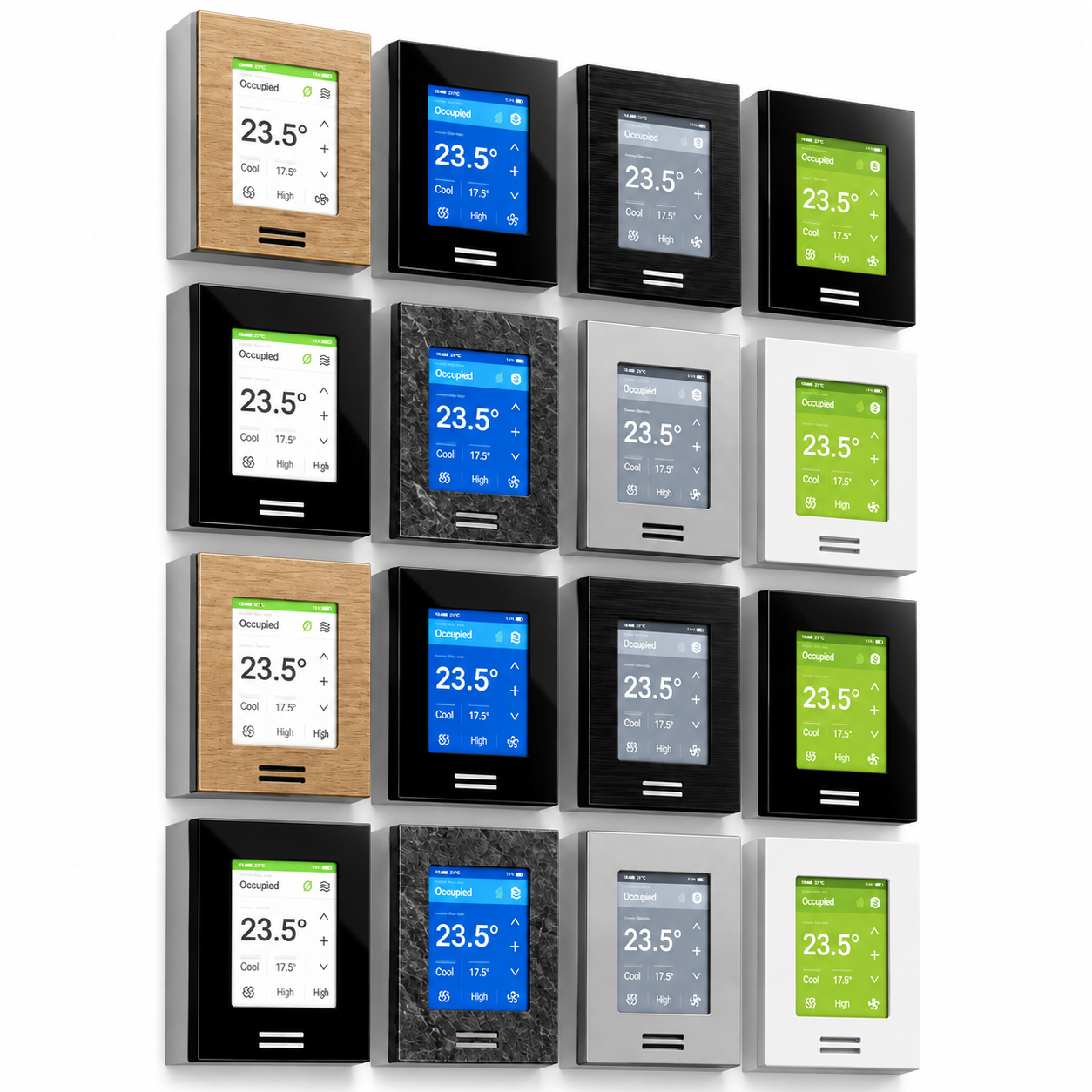
This black glass touchscreen thermostat 3D model represents a modern wall-mounted climate control panel designed for contemporary residential and commercial interiors. Its defining visual feature is the glossy black rectangular faceplate surrounding a bright blue digital touchscreen interface. The display presents recognizable temperature, cooling, airflow and occupancy controls, giving the object a convincing smart-building character without overwhelming an interior composition. Clean geometry, restrained detailing and a minimal silhouette make the thermostat suitable for close architectural shots as well as wider room visualizations where small technology elements contribute to realism.
The visible construction combines a dark glass front surface with metallic elements and a slightly projecting wall-mounted body. Reflections across the black faceplate help communicate the polished glass finish, while the slim perimeter and subtle side depth prevent the device from appearing completely flat. Two narrow metallic control elements beneath the display introduce a small contrasting detail. The blue screen, white interface graphics and black surround create a clear visual hierarchy. Its proportions resemble a compact wall control rather than a freestanding electronic device, making it appropriate for placement at practical control-panel height on interior walls.
As an interior technology element, this touchscreen thermostat can be used in Living Room, Bedroom, Office, Commercial and Entrance environments. It fits smart homes, modern apartments, hotel rooms, executive offices, meeting areas, reception spaces and other climate-controlled interiors. Designers can position it near doorways, beside lighting controls, along corridor walls or within integrated smart-home control zones. The restrained black finish pairs naturally with white plaster, concrete, wood panels, stone surfaces, dark wall finishes and contemporary metal detailing, allowing the model to work across both warm and cool material palettes.
For architectural visualization and CGI workflows, a thermostat is a useful secondary object for making walls and circulation areas feel occupied and functionally believable. The model can support detailed interior renders where switches, sockets, control panels and building automation devices are visible. It can also be incorporated into smart-home presentations, HVAC visualization, property marketing imagery, hotel room CGI and office design concepts. Because the device has a visually distinct touchscreen, it can remain recognizable even when it is not the main focal point of the render.
Within an interior design composition, the black glass panel works especially well with minimalist and modern environments. It can create a controlled contrast on pale walls or blend discreetly into dark feature panels. The blue illuminated interface adds a small technological accent that can complement indirect LED lighting, computer equipment, smart appliances and other connected-home elements. For convincing placement, the thermostat should remain proportionate to surrounding doors, switches, furniture and architectural details rather than being enlarged simply to increase visibility.
The asset is intended for 3D visualization workflows using 3D's Max and Corona Renderer, with supplied file formats including fbx, mtl, 3ds, max, obj and jpeg. These formats support integration into common modeling and rendering pipelines. When rendering close views, controlled reflections on the glass and metal surfaces can help define the faceplate edges and screen depth. In wider scenes, balanced screen brightness is important so the blue interface remains readable without appearing overexposed. The model is suited to product visualization, archviz scenes, smart interior concepts and technology-focused CGI compositions.
Frequently asked questions
Is this 3D model free?
Yes. You can download it with a free Laruus account.
Which software can I use this 3D model in?
It is prepared for 3ds Max with Corona Renderer. Via FBX and OBJ, it can be opened in Blender, Cinema 4D and Maya. Via 3DS, it can be imported into SketchUp. Corona Renderer materials need to be set up again in other programs.
What do I get when I download it?
A 10.3 MB download with 3ds Max (Corona Renderer), FBX, OBJ + MTL, and 3DS files. Texture images are included. It was added to Laruus on October 4, 2026.
Which spaces is it suitable for?
It suits Living Room, Bedroom, Office, Commercial, and Entrance projects. Style: Modern.
Are there textures that go with it?
Yes. Laruus has textures in the same materials:
- Metal — 50Browse Metal Texture (50)
Can I preview it in 3D before downloading?
Yes. Use the 360 View button on the product images to rotate the model in your browser.